ACS

ACS

Friday, May 9, 2014

Google News

The last two weeks has seen Google moving to respond to the requests for more support in the Google Apps for Education (GAFE) project as well as accessibility over iOS devices. The result is a better fit between our 1:1 iPad initiative and our GAFE system. Some of the upgrades are available immediately and some are in beta for release by next school year.

Featured iPad Apps


Google has separated Documents (Docs) and spreadsheets (Sheets) from Google drive in independent apps. This update providers more options for use on iOS devices, including the ability to edit Docs and Sheets in the app, WITHOUT being connected to wifi. In terms of accessibility for students outside of the classroom, this provides opportunities for students to complete assignments without Internet connection. Watch for Slides (presentations) to be available soon. 

Having downloaded both last week apps last week I have found them functioning as promised. One thing to note is that the apps to require upgrading your iOS to 7.0 or later.
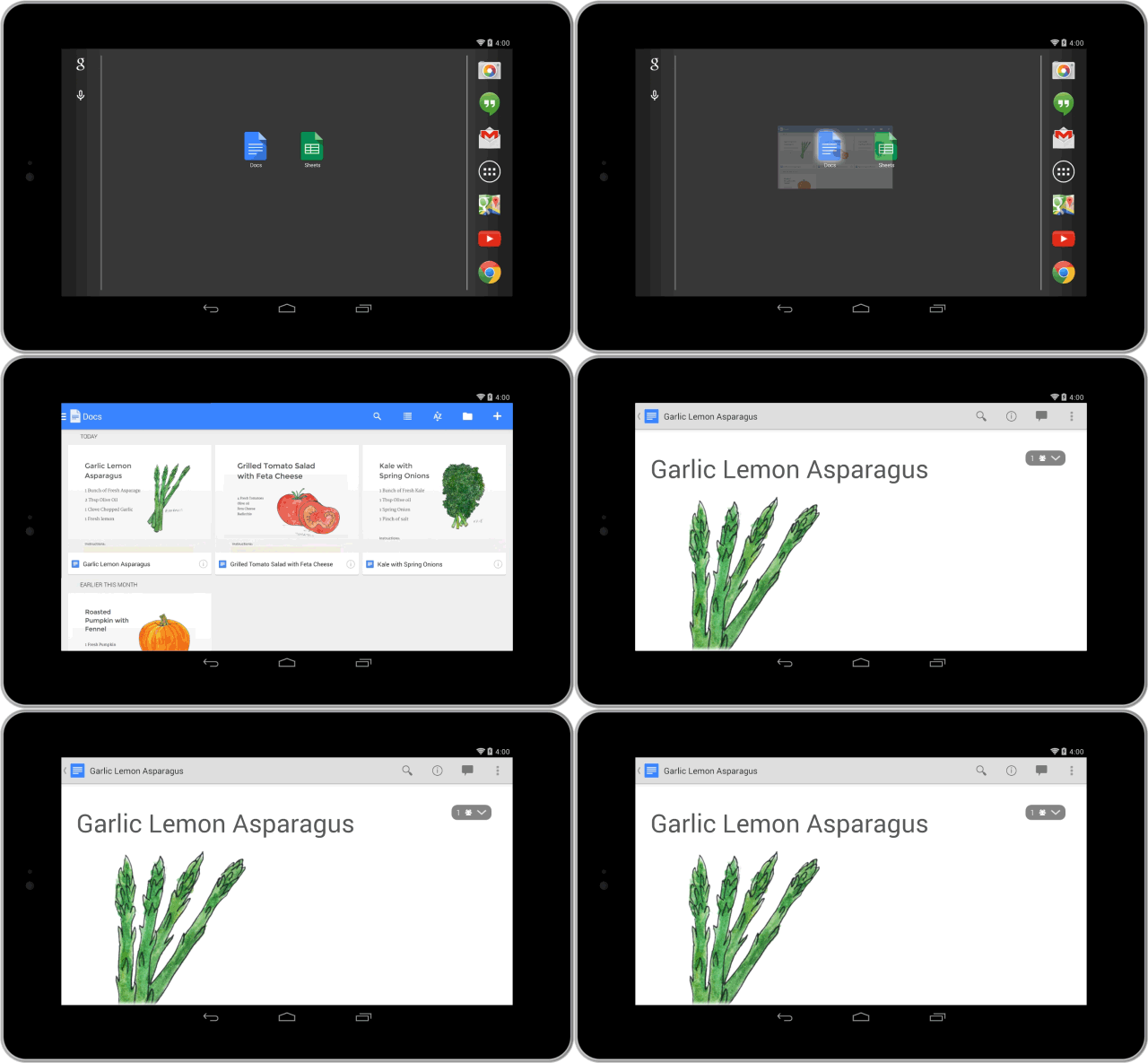
 iPad Docs display


Maximizing Google


Perhaps the most significant addition to the Google Apps for Education (GAFE) offerings, is the introduction to Google Classroom. Released in honor of Teacher Appreciation week, Google claims "It helps teachers create and organize assignments quickly, provide feedback efficiently, and communicate with their classes with ease. Classroom is based on the principle that educational tools should be simple and easy to use, and is designed to give teachers more time to teach and students more time to learn." 


Google Classroom is not as robust a learning management system as Moodle, but it can be a great way to begin blended your classroom and providing a more organized approach to managing the Google tools that you are using. Consider this tool to organize your classrooms for the 2014/2015 school year.


Getting the Most Out of Your Learning Platform   


Whatever management system or learning platform that you choose to use, following accessibility guidelines is important. One of the advantages of a learning platform is the ability to provide students with multiple representations of material, including digitial text. However, many students with disability struggle with visual aspects of an online system. One way to address this is to provide a text description of any images that are used on your platform. The video below will demonstrate  how this is done in the Moodle platform.


Twitter Friday Follow 


As Google continues to upgrade apps and release new items, the best way to stay informed is to follow them on Twitter or subscribe to their blog. They also release cool applications of their apps or retweet examples from users.


Friday, May 2, 2014

Professional Development

As we near the end of our first year of 1:1 at the high school and look to move forward with 1:1 at the middle school, the areas in which we need more professional development become clearer. Personalizing PD has been part of this technology roll-out, but when we began we "didn't know what we didn't know"! Let's begin planning now how we want to end the school year, or even continue to develop our understanding and integration of technology, over the summer. One option is to consider the professional development modules and courses developed by the REMC Association of Michigan through the Michigan Learns Online Portal. If you are interested in completing a course, I can arrange for the courses to be uploaded to our ACS Moodle and facilitate. For most, you can access the information and material and use as needed, even if you don't complete assignments as a course. For a complete list of MLO Professional Development learning material, visit the website.


Featured iPad Apps


There are two professional development courses offered through REMC Michigan Learns Online. The first, iPad for Education, includes a section on built in Accessibilty features of the iPad. Other sections include setting up e-mail and how the iPad helps meet technology standards.


The second course, Integrating iPad in the Middle School Classroom, provides a more pedagogical approach to the iPad as a tool. While the emphasis, with lesson plans and examples, is middle school, the content is applicable to all grade level instructors.


Maximizing Google  


While many have integrated Google Drive into the classroom routine, Creating Student e-Portfolios with Google Sites focuses on reflective writing as a sustained process. Not just for English classes, the connected standards cover all content areas. As the Common Core requires student demonstration and application of learning, reflective portfolios deserve consideration. The course begins with this introduction to e-Portfolios in the K-12 classrooom, including what they are and why they should be used. The course then moves forward with instructions on how to use Google tools for e-portfolio creation. 


Getting the Most Out of Your Learning Platform   


In the Flipping Your Class With Moodle course, teachers are introduced to the flipped classroom model. Moving beyond the model, teachers are led through beginning steps to creating and using a Moodle classroom. Units includes course design, adding resources in Moodle, using discussions in Moodle and creating assessments. As a self-paced option, the course can provide real-time, when you need it support for your management system. Addressing varied learning styles of teachers, the course includes articles, documents, websites and videos for training support.


Twitter Friday Follow 


Integrating social media in the classroom can be seen as risky. What is the proper way to implement as well as which media and devices should be used are just the beginning of the questions most educators ponder. The Socially Networked Learning Course takes the educator from an introduction to social networking to applications in the classroom, including examples from teachers with different social network tools. Twitter is featured as one of the networks. 

For the #FF (Twitter Friday Follow) recommendation, the REMC Association of Michigan (@mi_remc) shares conferences, technology tips, resources and recommendations. While not prolific in number of tweets, the posts are consistent in topic and focus.


Friday, April 25, 2014

Cooperative Learning

Like many strategies in education, cooperative learning is not a new idea. It is an idea that is gaining favor once again as PBL is becoming mainstream and the job skills focus less on content knowledge and more on skill development. According to a Gallop poll report (Read at this link),   in collaboration with Microsoft Partners in Learning and Pearson Foundation, "real world problem solving" is the skill most necessary for success in today's job market. The report specifically references that technology use in the classroom is not preparing students for the collaborative technology skills necessary in the real world. We can change that! The tools presently available to use allow the delivery of instruction to shift, making the real world connections with content and providing collaborative opportunities for growth. Most technology tools also allow teachers to track individual student participation and contribution, one of the difficulties associated with group work in the classroom.

Featured iPad Apps


As the Gallop poll results show, students need to be engaged in group work that requires collaboration long-term. To be successful, students need to have a way to organize their information, ideas, and products. While there are many options of Apps and web-based options, the Lino app allows all of the above in a visually pleasing and easy to manipulate format. Free from the iTunes stores, the developers describe the app as an "online stickies service that offers stickies and canvases. You can post, see and peel off stickies on canvases freely. Stickies posted from iPhone/iPad App can be accessed with PC browsers". 

By creating a group, students can use the tool collaborative. View the explanation on the Lino website:  or watch the teacher demonstration video of how he uses Lino in his classroom.


Maximizing Google  


Many Google Drive Apps are made for collaboration. Within Google Drive; documents, spreadsheets and presentations can not only be shared but become collaborative projects. Collaboration can be in real time, allowing discussions using the "chat" feature:


While teachers understand the power of group work done well, there are difficulties with the process that seem consistent. Two of the most difficult to overcome, without the right technology, are accountability of contribution and the need to occassionally work outside of the classroom. Google Drive apps solve both of these problems, allowing students to access and edit the shared material from anywhere they can access the web, and allowing the teacher to track individual contributions through the "revision history" feature. The video below provides an overview of both of these features.


Getting the Most Out of Your Learning Platform   


The popularity of Wikipedia introduced the world to the concept of a "wiki". It is synonymous with online collaboration and students quickly realize the real world application.  Applications in the classroom are almost limitless. For instance, science classes could create a Wikipedia like encyclopedia of concepts throughout the course. Social Studies could assign note-takers, with shared note files in the wiki. English classes can create poetry wikis to share. And math could create a wiki repository of "help" videos, either created by students or located online. For better understanding of the concept of a "wiki", visit the TeachersFirst Wiki Walk-Through Page.

 For ideas of how to implement wikis, as well as step-by-step instructions and tips for creating a wiki in Moodle, view the video below. The video is quite lengthy at almost 10 minutes, but the content example, as well as detailed instructions, are well worth the time.


Twitter Friday Follow 


While Kagan has a product to sell, their tweets often feature articles, links and blogs related to cooperative learning as well as pictures and examples of cooperative learning in the classroom. 

Wednesday, April 2, 2014

Hybrid or Blended Learning

With the integration of 1:1 technology presenting classroom management and instructional delivery challenges, converting to a blended or hybrid class can be a viable solution. The secret is to view the transition for what it is: a process. The great thing is that the popularity of blended instruction, as well as the research that supports the method as more effective than face-to-face traditional classroom or online, makes professional development options easy to find. A great introduction to the topic will take place during the Twitter #MichEd chat Wednesday, April 2nd, 2014. Co-moderator, Chris Stanley, will share his experiences in his 3rd year as a hybrid class instruction. The chat will be built around Chris' recent blog post on the topic: "Teaching in the Hybrid Class". As always I am willing to support you at whatever step you are at in this process. Below are some suggested tools that could support blended learning.

Featured iPad Apps


The best apps for your class are the ones that allow students to participate, access and create based upon your content. As we continue to find the right tools for the job, students and teachers will use different tools. One way to take advantage of the iPad app display is to use the built in feature that allows any website that you choose to be placed on your screen as an app. 


Maximizing Google       


One of the Google Apps that is often overlooked is Google+ communities. There are a number of ways for educators to use this tool: from communication with students or groups to developing professional learning networks. Are you the only Physics teacher in the school? There is a community that will connect you with other Physics teachers around the state, country or even the world. ETML has some helpful blog posts to get you started: "Everything Teachers Need to Know About Google Plus" and  "10 Google Plus Communities for Educators".


Getting the Most Out of Your Learning Platform   


When transitioning to a blended or hybrid classroom, the platform from which you deliver content is a critical decision. There are pros and cons to the various platforms we use, as addressed in this article in a previous post. Here are some considerations for the advantages of developing your content in a Moodle Course:


  • Pre-packaged lessons and units can be added with ease (such as content from Florida Virtual Courses, ReadWell Units from the WriteWell Curriculum, and teacher created materials from Michigan Learns Online.
  • While there is a learning curve, you never reach a limit to what your platform allows as you continue to build your skills and practice.
  • As a true learning management system, students are prepared when they reach college and University as many courses (not just blended or online) use a learning management system.
  • I am here to help! In addition to videos, help docs and experience, I can assist you virtually or with scheduled PD. 

Twitter Friday Follow 


Chris Stanley, who will co-moderate the #miched chat on Wednesday, April 2nd, has been part of the hybrid course implementation at Fraser High School for the past 3 years. His tweets highlight success in his classroom, blog posts, and beneficial articles. 


Library News


Choice book projects are a great way for students to be exposed to content area concepts, meet the reading requirements for college readiness standards and explore topics of personal interest. This is a great way to extend content area learning. Consider booking collaboration time to create a project or assignment rubric. April breaks will make the month pass quickly! Let's start planning today.

iPads can be a great tool for an independent reading project. Students can choose digital books or create projects. The article "23 iPad Alternatives to the Book Report" is a good place to begin.

Friday, February 28, 2014

Personalization

As ACS continues training at the secondary level, Rachel has emphasized personalization of instruction as both best practice and a management strategy. Moving from theory to practice is a process that begins with an understanding of personalization. Edutopia helps by identifying ten tips that focus on a productive environment in which every child is engaged.  
http://www.edutopia.org/stw-differentiated-instruction-ten-key-lessons

Featured iPad Apps


One of the tips from Edutopia is to automate special skills training. In our world, for better or worse, this includes ACT testing. Practice is necessary both for timing as well as phrasing of questions. Many classes are using ACT practice as warm up activities. Several apps are available that provide practice, including a free app from ACT called ACT student. The disadvantage is the limited number of test questions, but the advantage, besides being free, is the immediate feedback for students (which happens to be another personalization tip from Edutopia!)

https://itunes.apple.com/us/app/actstudent/id431920584?mt=8


Maximizing Google


Google has several applications that support Edutopia's tip number two: Gather and Use Immediate Feedback on Student's Understanding.

In previous posts, examples of Google script to grade forms and using YouTube videos have been identified. Both are easy to create, provide immediate feedback and provide for multiple ways of engagement. When considering multiple means of engagement and video, often viewing is assigned as a passive activity. However, enabling the comment feature and assigning questions changes the engagement.

Edutopia has a tutorial on practical ways to use YouTube in your classroom: 
http://www.edutopia.org/youtube-educational-videos-classroom

In addition, by integrating videos into a web presence or learning management system, assignments can be 
created that require student response. Assignments can be set up to be a general class discussion, or submitted 
individually, depending upon the type of formative assessment you are seeking.

Getting the Most Out of Your Learning Platform


The blog has focused, and will continue to focus on Moodle and Edmodo. However, as Rachel has encouraged the use of Schoology a review of the systems may be helpful. A great overview is this article comparing the three platforms: http://wazmac.com/discussion/edmodo-v-moodle-schoology/

The article is helpful as it provides the benefits and limitations of each instead of promoting one over the other. 
It is accurate to say that Moodle requires more training and support, but I am happy to partner with you for 
successful implementation. Edmodo is the easiest to use, but most limited in features. Schoology falls between
the two, but has an app available for the iPad. However, much like the Google Drive app, simply having an app 
does not mean that the functionality of the web based product is found in the app. Technology, in this case the 
iPad as the tech tool, should not drive decisions. Moodle is clunky on the iPad, but fully functional. Edmodo
and Schoology have apps, so operate more smoothly with the iPad, but do not provide full functionality.

At the minimum, consider the following as necessary elements for the face of your classroom.

1. Calendar for assignments and due dates.
2. Integration with tools already using
3. Assignment access
4. Assignment submission

It may be possible for you to simply use your ACS class website as you begin personalization simply by adding
the features identified above.


Twitter Friday Follow 


With so many resources from Edutopia, it is a natural progression to recommend as my Friday Follow. Tweets are mostly articles with explanations and links to tutorials and tools. The focus on pedagogy over tool choice follows best practice policies.


Library News


Connecting the library space and resources with personalization of instruction requires only one thing: collaboration! Modeling to students how professionals work in teams provides them an important experience and frame of reference. Other ways to connect:

* student choice of space for working and learning
* Makers space for creativity breaks or ways to demonstrate understand learning
* 1:1 student assistance for technology from the library staff

Friday, February 21, 2014

Online Learning Days

Michigan's winter weather has created a school situation not seen in recent history. Many districts, including our own, are over the allowed weather days. The debate in the legislature, Governor's office and the Michigan Department of Education is whether districts can add minutes to their days to make up time or whether days should be added to the end of the school year. Meanwhile, states such as Ohio and New Hampshire are finding ways to use the technology age to eliminate loss of learning time due to inclement weather. Here are some ways that our technology could be used if we were able to use online learning days instead of inclement weather days in the future. Feel free to share your suggestions for how we could address inclement weather days as online learning days in the future.

Featured iPad Apps


The focus of any technology used in a "blizzard bag" should be how can it be used if access to the Internet is limited or unavailable. For 1:1 districts, for instance our 1:1 iPad high school, emphasis could be on the apps that you do not Internet for function. This will help determine the lessons that are created in advance for students. My recommendation would be that Apps that students have already used for classroom assignments and creative activities should be the focus. Unless you want the online learning days to provide students the opportunity to explore curriculum and create products that would not happen in the face-to-face classroom.

My recommendation is to make the student a creator! Instead of completing a set of math problems, challenge the student to record a story problem using their choice of math concept learned in previous lessons.  Digital storytelling or digital story problems are great ways to engage students differently during their online learning days. Ben Rimes,K-12 Educational Technology Coordinator at Mattawan Consolidated School, is well know for his video story problems and digital story telling. His recommendations for story telling and story problem apps include the following:


Elementary: Students can use the camera app to record video and audio. The benefit to using the camera app is that it is a built in app (available to all without download) and it functions without wi-fi access. The disadvantage is that there are no editing features; recording is a one-shot process! A slightly more advanced app, but still easy to use is Videolicous. A screen capture and editing tool. There is a free version, but videos are limited to one minute. 


Middle and High School: For older students interested in some "artsy content" (that's a Ben quote!), Vimeo is an app that works on multiple devices and provides a community of video creators to create channels, store video, connect with other users and edit content.


Maximizing Google


Many teachers by this time have taken advantage of our Google Apps for Education and are using Drive features and apps with their students. The first thing that I would suggest is that "Blizzard Bags" are created as part of class Google Drive folder and downloaded with instructions as part of the course introduction. A separate folder within your class folder title "blizzard bag". In order to make the material available without access to wifi, simply set the folder and/or assignments as "available offline". The video below demonstrates how to help students with this setting.


Getting the Most Out of Your Learning Platform


By definition, an online learning management system will NOT be available offline. So this is a limitation to Moodle and Edmodo, or an online learning management system. However, many students will still have access to the Internet. As with any blended environment that is implemented well,prior knowledge as to which students need alternative assessments because of lack of access at home will guide your decision to how you create and post assignments for online learning days. For instance, students in library science and Theory of Knowledge understand that assignments due dates do not change because of inclement weather days. Students who experience technical difficulties because of lack of access are required to make a plan with me upon return to school. 

From a management perspective, You can create a topic area in Moodle that is designated for online learning weather days. This should then be part of the course orientation, emphasized face-to-face as well as highlighted in introductory videos. For Edmodo, consider a backpack designated as a "blizzard bag".

Regardless of your LMS, any day designated as a "blizzard bag" or inclement weather day should include a teacher update to the system. It is important to have established online communication so students know that they should check and where they receive their message and information. The following videos demonstrate communication options in Moodle and Edmodo.


Twitter Friday Follow 


David Tebo, @tebotweets,  Superintendent from Hamilton Community Schools has embraced the concept of alternative learning for inclement weather days, offering challenges via Twitter for his district students. Several of his teachers have joined in with challenges appropriate for grade level. Parents and students then share pictures and videos with their teachers and Mr. Tebo, who promote the learning activities over social media. Here are some examples of his challenges and teacher challenges as well as student submissions.


Library News-Award Books are in!


Creating independent reading projects is more than just an English class assignment! Student choice is an important aspect of connected and personal learning. With our 1:1 iPad there are creative opportunities for students to engage in reading for creative purposes. Check out this resource page for 23 alternatives to book reports. Call or e-mail me to arrange collaboration time. Highlighted below are some new award winning informational texts that have been added to the library collection.


. 

Friday, February 7, 2014

Digital Learning Day 2014

Wednesday was the 3rd annual Digital Learning Day. Promoted by the Alliance for Education, Digital Learning Day "is a nationwide celebration of innovative teachers and common-sense, effective applications of digital learning in America's schools that support teachers, improve learning and provide options for students to achieve their highest potential". Some schools and teachers have embraced this day as a way to introduce digital learning. Others argue that digital learning should not be assigned a day, but be integrated into the daily school routine. This year, Algonac Community Schools celebrated by doing what we do every day, using our digital tools to improve learning and provide options for students.

Featured iPad Apps


Drawing Grid by Maciej Chrzastek is a free app available on the iTunes store. The app will draw a layer of grid on top of an image without making any changes to the image. The grid will help you keep the proportion of the drawing object and is customize-able, allowing changes to color and opacity for the right contrast. Students in Mr. Griffin's art class use the app to practice scaling and to use grid strategies for proper placement.


Maximizing Google


One of the applications available in Google Drive is a blog tool, called Blogger. In fact, this blog is made with Blogger! There are many applications for blogs in the classrooms. As a GAFE school, students already have access through their school account. Blogs can be set to private, shared only with specific people (the teacher, or a class) or shared publicly. In European Literature and Composition, Ms. Melanie Bokano decided to have students blog because she felt it was important that they continually write and explore their own thoughts and ideas. It is also a wonderful way for them to practice synthesizing information- drawing their own conclusions about information studied and making parallels between what is being studied and the students' own life. Having the technology readily available to them through the the Blogger and Word Press apps allows for  consistent writing practice.On Digital Learning Day, students completed their 8th blog post, analyzing four essential questions from Macbeth. The questions will be used in the future for formal research papers. 


Blogs can also be used as Reading Journals:


Or for an online book club:


Getting the Most Out of Your Learning Platform


Mrs. Stephanie Ford's 6th Grade Social Studies Virtual Learning is a small group of students who are taking a technological approach to academics, which better suited their learning style. They have a Moodle-based classroom and are currently working on collecting research to write a state report.  They are also writing letters of request to visitors bureaus and creating an oral presentation in the form of an informational booth at a Travel Fair that their friends and family are invited to towards the end of the month.


Twitter Friday Follow

Digital Learning Day should not be a once a year occurrence! Follow @OfficialDLDay for tools, resources and examples of best practice. This is a good resource to find interactive opportunities for students and classrooms. 


Library News


With the emphasis on digital learning, it is a good time to highlight the digital resources that are available through the library, especially databases. With 1:1 implementation, library services and collaborative assignments can still take place in the library learning center space, with the advantage of every student having a personal devise. No distribution, login, or wait times! Schedule time for research, projects or help with tech tools by contacting Rachelle via e-mail or phone.

Algonac High School subscribes to one database, Global Issues in Context, from the Gale corporation. Watch the overview video below for an introduction:


Don't forget to use the FREE resources, including test prep, databases and teacher support material; available through the Michigan eLibrary.